Inside The Template
One spreadsheet, six ways to see your work.
A real screenshot of the template's Start Here tab.
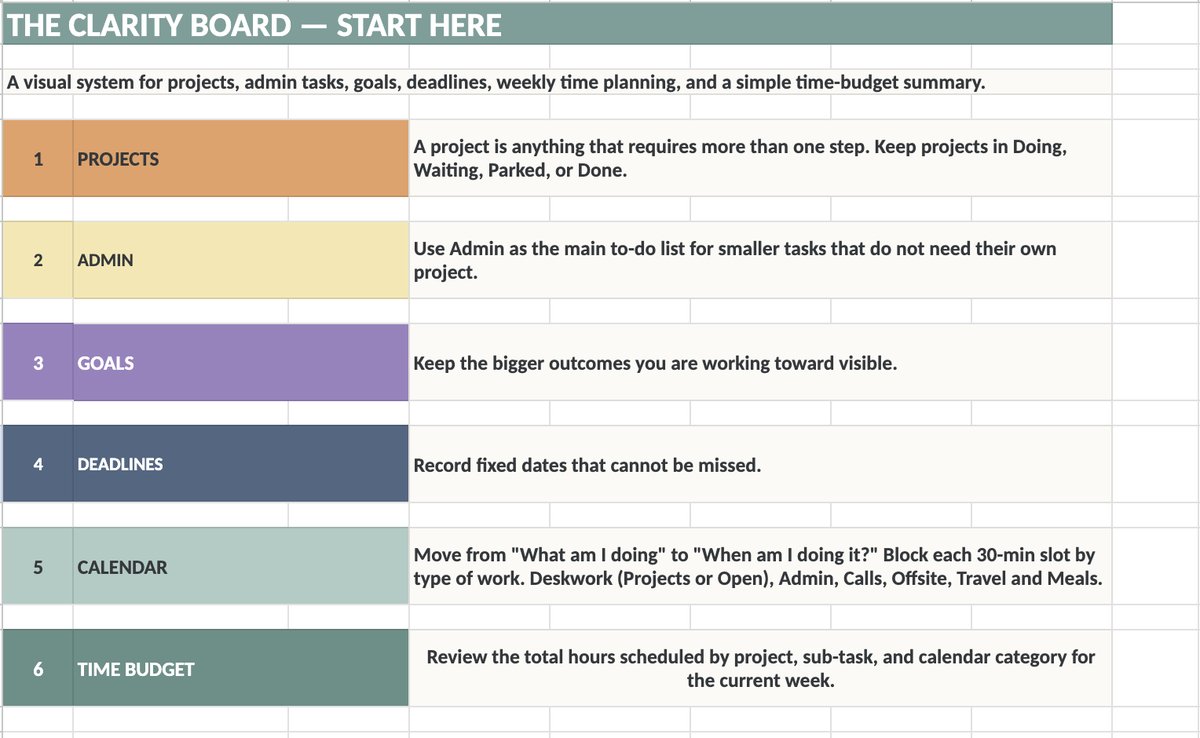
The Clarity Board system, in Google Sheets.
The same Parked, Waiting, Goals, Deadlines, Doing, Admin, Calls, and Calendar structure from the books — built as a Google Sheet you can copy, type into, and reorganize on screen instead of with paper and sticky notes.
A real screenshot of the template's Start Here tab.
A one-page orientation to the whole system before you dive in.
Track anything with more than one step through Doing, Waiting, Parked, or Done.
A running to-do list for the smaller tasks that don't deserve their own project.
Keep the bigger outcomes you're working toward in view, separate from day-to-day tasks.
One list for the dates that cannot be missed, linked back to their related project or goal.
Move from "what am I doing" to "when am I doing it" — block each 30-minute slot by type of work: Deskwork, Admin, Calls, Offsite, Travel, Meals.
Review the total hours scheduled by project, sub-task, and calendar category for the current week.
Before you make your own copy of the master template, open this demo version and click around — try moving a task between Projects and Admin, add a Goal, or block out a few hours on the Calendar tab. It's a low-pressure way to see how the pieces fit together before you commit to setting up your own.
The paid template is coming soon to Lemon Squeezy and Gumroad. Until then, this link opens a view-only copy of the master template.
Go to File → Make a copy in Google Sheets to get your own editable version.